How to keep the same link when your form changes?
"I have had this order form on my website for a year or more now"- Google Docs Editors Community
This is a common situation for small businesses. If your order form has been on your website for a year and its link is on your flyers too, you have a problem the day it stops accepting responses and you make a new form. A new Google Form gets a new link and everyone using the old one lands on a closed form. In this article, we will show you how to share one website link and switch that link to your new form when your form changes. Create your site and follow along the steps below.
1. Create or import your order form
Click Create a new form, type its name, click Generate, then Proceed. If it asks "Do you want to preview this form?", click No. If you already have a Google Form, click Import Google Form, paste its link and click Import. Select your currency and click Continue. When it says "Your order form is ready", click Preview your form, then Edit form.
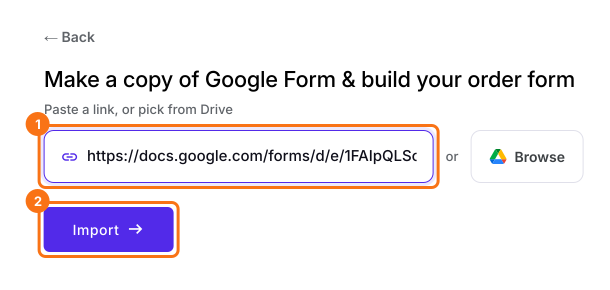
2. Create your website
In your form, click SHARE, then Website. If you created your site with the link above, your website is already there, so go to the next step. Otherwise type a name of at least 8 characters, choose your Location and click Create website.
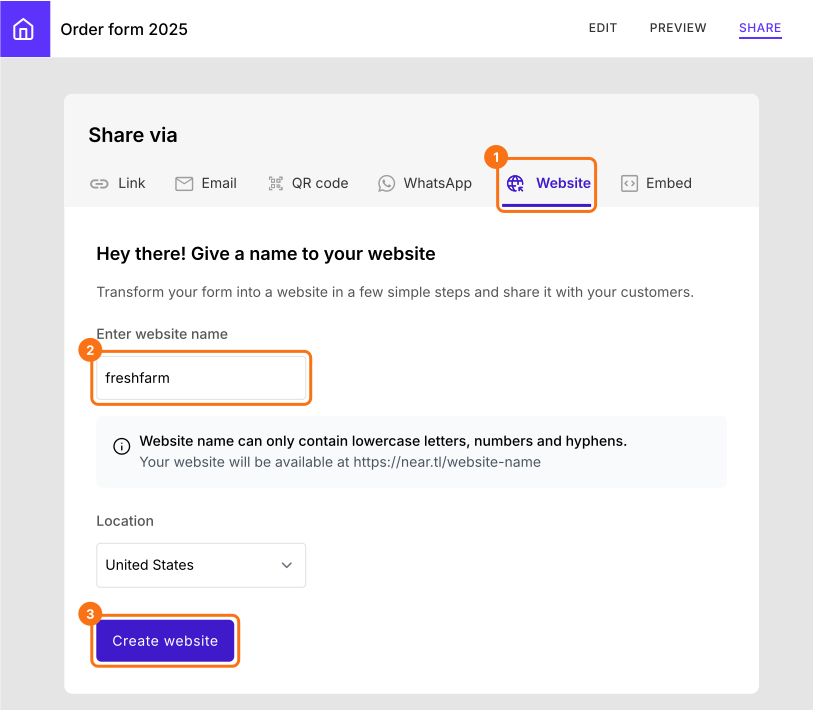
3. Share your website link
Under Link to website, click Copy. Put this link on your website and flyers in place of your form's link.
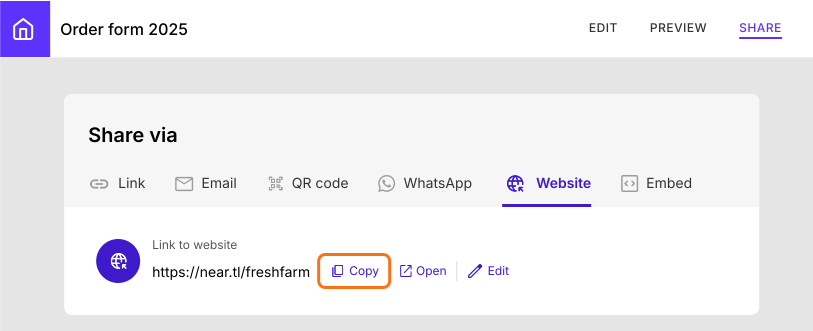
4. Switch to your new form
When you make a new form, open it, click SHARE, then Website. Under Switch Form, click Switch.
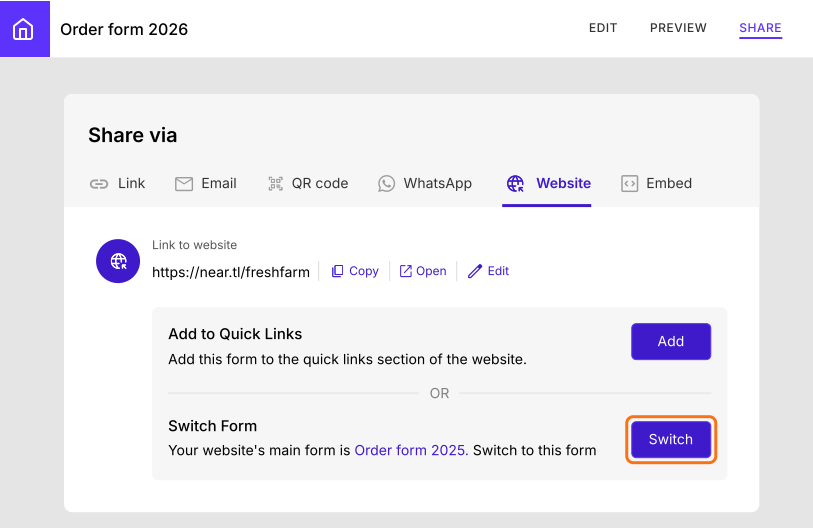
5. Customers use the same link
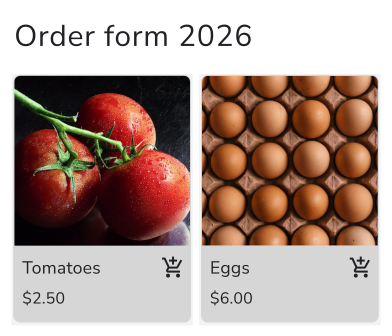
Customers open your website link and click Order Now and your new form opens. Your site and flyers stay as they are.
Summary
If your order form's link is on your website and flyers, a new Google Form means a new link and everyone using the old one lands on a closed form. With Neartail, you share one website link and switch it to your new form, so customers keep using the same link. Create your site and complete the steps above. If you have any questions, write to support.
Last updated: