How to put all your forms on one page?
"I need to send a client several forms for signature"- Google Docs Editors Community
This is a common need when one client has to fill in more than one form. If every form has its own link, you send a long message and they ask which one is next. You can put the next form's link at the end of each form, but that only works if they finish them in order. In this article, we will show you how to put all your forms on one home page, so that you send each client one link. Create your site and follow along the steps below.
1. Import your forms
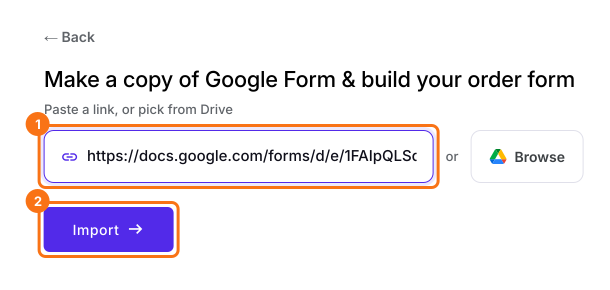
Click Import Google Form, paste a form's link and click Import. Select your currency and click Continue. Do this for each form.
2. Create your website
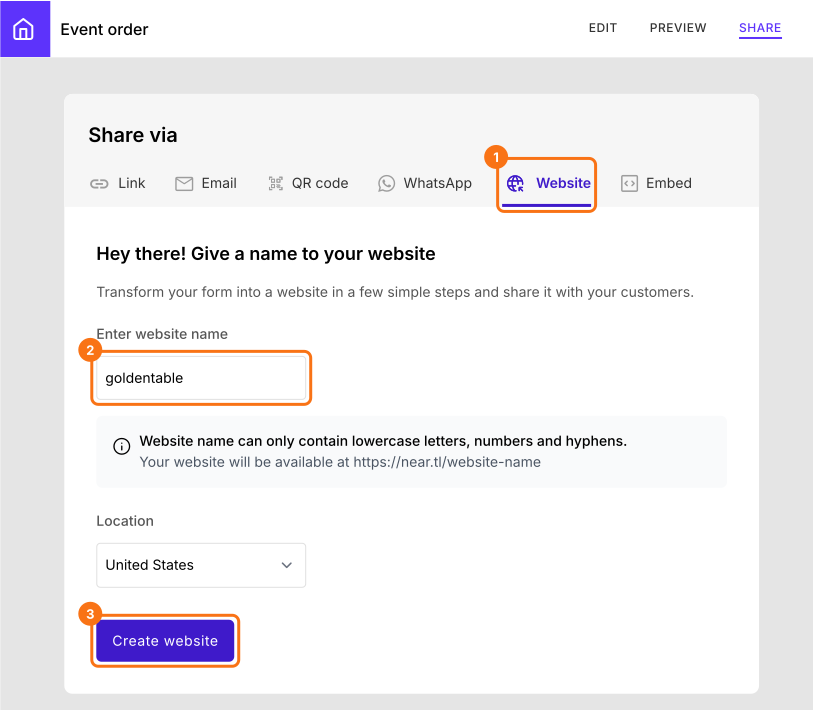
On your Neartail dashboard, click Forms and open the form clients should start with. Click SHARE, then Website. If you created your site with the link above, your website is already there, so click Switch under Switch Form and go to the next step. Otherwise type a name of at least 8 characters, choose your Location and click Create website.
3. Add your other forms
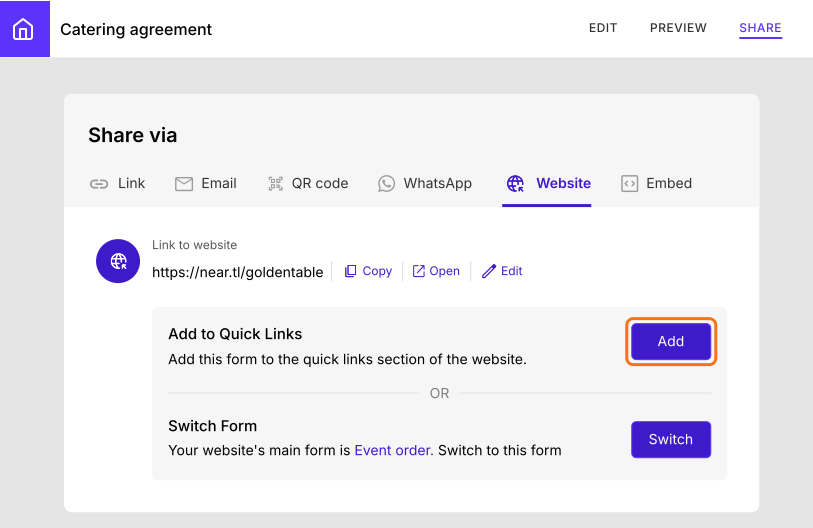
Open your next form, click SHARE, then Website. Under Add to Quick Links, click Add and do the same for each form.
4. Send your client one link
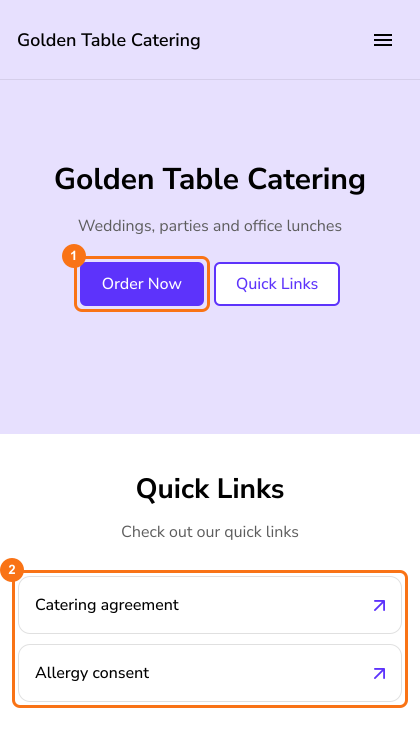
Copy your Link to website and send it. Your first form opens from Order Now and the others are listed under Quick Links.
Summary
If every form has its own link, clients get a long message and ask which one is next. With Neartail, all your forms sit on one home page, so you send each client one link and they find every form there. Create your site and complete the steps above. If you have any questions, write to support.
Last updated: