How to hide sold out products in your order form?
"I'm looking for a ready made setup that will take the inventory count and subtract"- Google Docs Editors Community
This is a common request from people who sell from a fixed stock. If you take orders on a Google Form, each order should come off the count, and a product should stop selling when it runs out. Google Forms has no stock count, so you tally the responses yourself, delete the choice by hand and say sorry to whoever ordered too late.
In this article, we will show you how to set a stock count on each product, so that it stops selling when the count reaches zero.
1. Name your order form
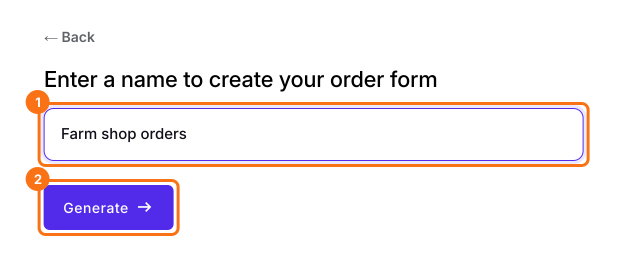
Click Create a new form, type your form's name and click Generate. Check the outline it suggests and click Proceed. Already have a Google Form? Click Import Google Form instead.
2. Set your stock count
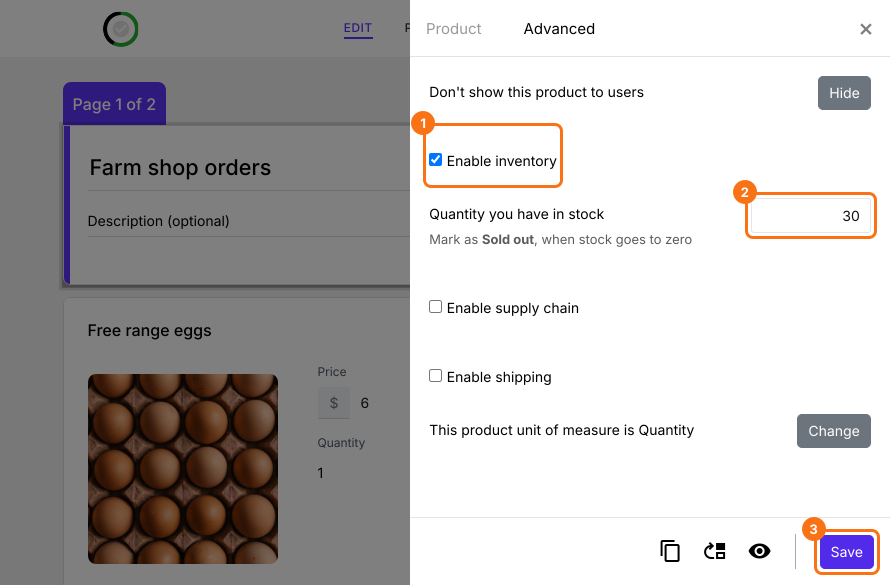
In the EDIT tab, click the product, click the gear at the bottom of its card and open Advanced. Tick Enable inventory, type how many you have and click Save.
3. Hide a product before it sells out
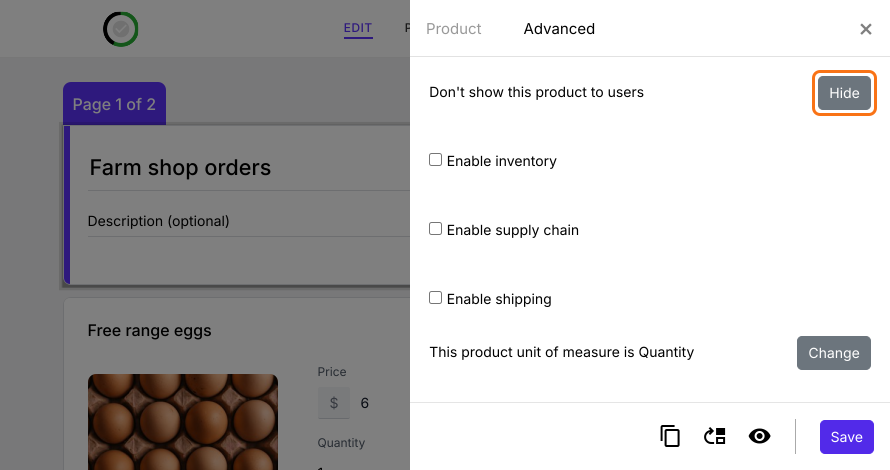
To take a product off your form at any time, click Hide on the same tab. Click Show there to bring it back.
4. Sold out products stop selling
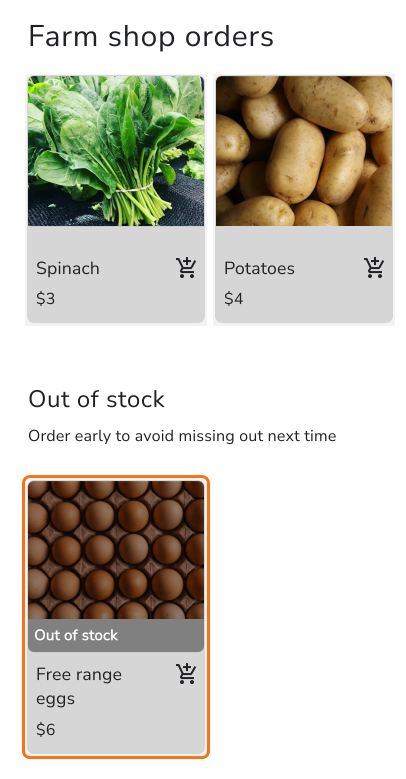
Each order comes off your count, and at zero the product moves to Out of stock. When you restock, type the new count on the Advanced tab.
Summary
If you sell from a fixed stock, Google Forms keeps taking orders after you've run out, and you end up deleting choices and saying sorry. With Neartail, you set a stock count on each product, each order comes off it, and the product stops selling at zero.
Last updated: