How to stop taking orders after your deadline?
"I need Google Forms to stop accepting responses at a certain date/time."- Google Docs Editors Community
This is a common need for anyone who takes orders up to a cut-off. If you take meal orders, then shop and cook for what came in, Google Forms can now stop taking responses at a set date and time. Your customers still need to know when you open again, and next week's menu should go out on the link they already have.
In this article, we will show you how to close your form when orders end, tell people when you open again and reuse the same link.
1. Name your order form
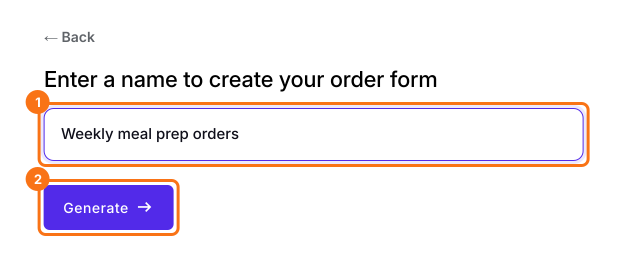
Click Create a new form, type your form's name and click Generate. Check the outline it suggests and click Proceed. Already have a Google Form? Click Import Google Form instead.
2. Put your deadline on the form
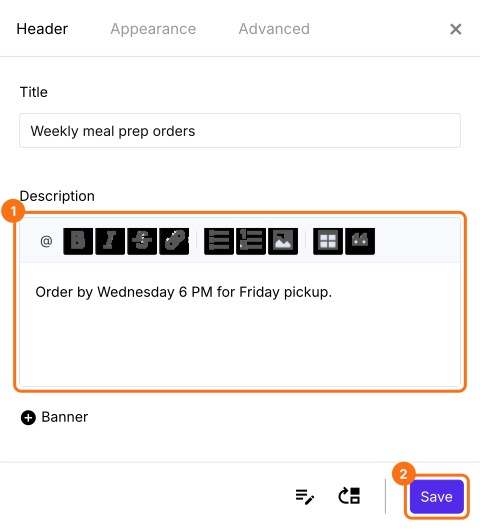
In the EDIT tab, click the gear on your form's title card. On the Header tab, add your deadline to Description and click Save.
3. Close the form at your deadline
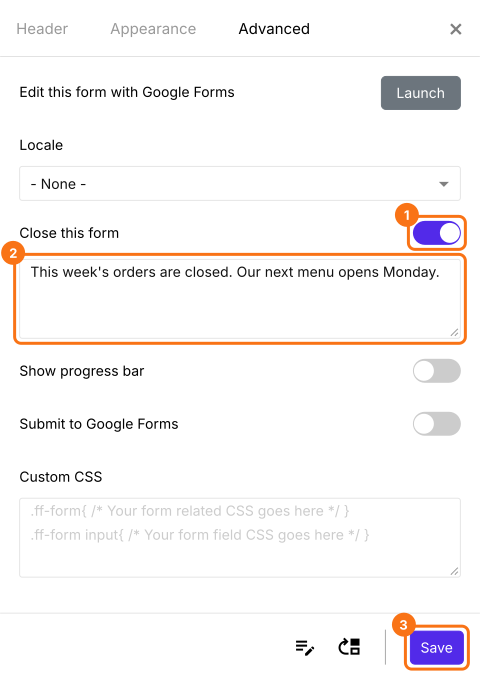
You close the form yourself, so set a reminder. At your deadline, click the same gear, open Advanced, turn on Close this form, write when you open again and click Save.
4. People see your message
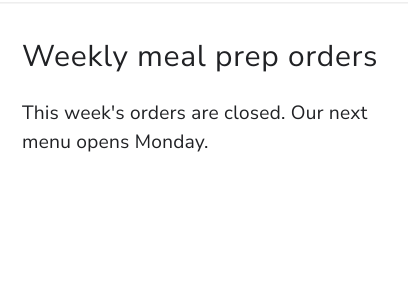
Anyone who opens your link now sees your message and can't place an order. Open the link yourself to check.
5. Open again for the next menu
When your next menu is ready, change your products, turn off Close this form and click Save. Your link stays the same, so people order from it again.
Summary
If you take meal orders up to a cut-off, Google Forms can close on time, but your customers still need to know when you open again. With Neartail, you close the form with your own message, and next week's menu goes out on the link they already have.
Last updated: