How to see who has paid in Google Forms?
"Managing 1000+ Form responses (like payment screenshots) is difficult"- Google Docs Editors Community
This is a common problem once sign-ups pile up. If people sign up for your workshop on a Google Form and upload a screenshot of their payment, you open them one at a time and check each against your account. Nothing in the form marks the ones you've done, so you lose your place and end up reminding people who already paid. With Neartail, you can mark each sign-up paid when you've checked it. In this article, we will show you how to mark each sign-up paid when you've checked it, so that paid and unpaid sit in separate columns. Create your form and follow along the steps below.
1. Add payment to your form
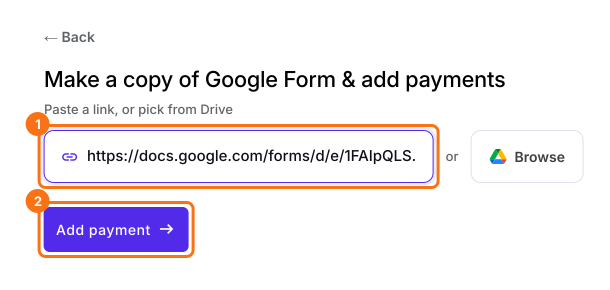
Click Import Google Form, paste your workshop form's link and click Add payment. It makes a copy of your form. If it says "Your form is private or protected", click Next and give access, or publish your form in Google Forms and paste that link. Select your currency and click Continue. When it says "Your order form is ready", click Preview your form, then Edit form. No form yet? Click Create a new form instead.
2. Turn on how people pay
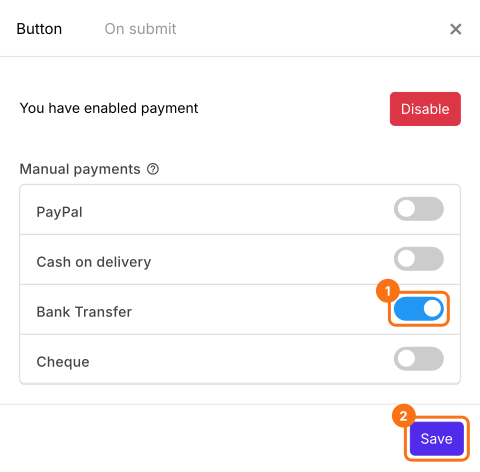
At the end of the editor, find Payments disabled and click Enable, then Enable again. If it asks "Do you want to collect payment on form submit?", click Yes instead. Under Manual payments, turn on what you take, such as Bank Transfer, enter your bank account details and click Save.
3. Open a sign-up to check
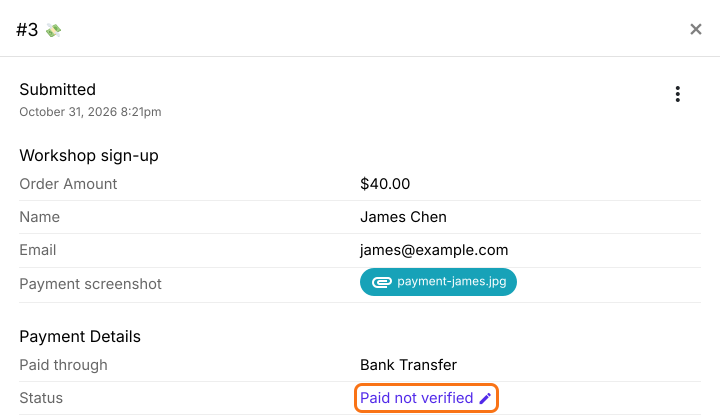
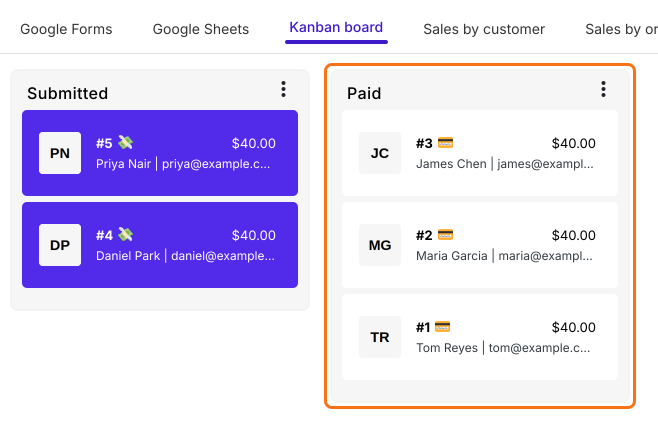
Share your form. Each person who submits it sees the amount and your bank account details and clicks Mark as Paid. Click ORDERS, then Kanban board and click a sign-up with a 💸 on it. Check the payment against your account, then click the pencil next to Status.
4. Mark it paid
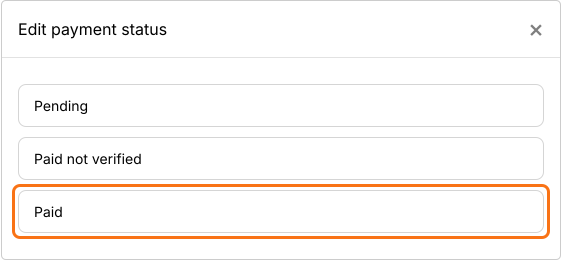
When the money is in your account, click Paid.
5. See who has paid
James moves to the Paid column, so you know you've checked him. Everyone left in Submitted still has a 💸, so that's who to check or remind.
Summary
If you check payment screenshots one at a time, nothing marks the ones you've done and you end up reminding people who already paid. With Neartail, you mark each sign-up paid after you've checked it and paid and unpaid sit in separate columns on your board. Create your form and complete the steps above.
Last updated: