How to send Google Forms with prefilled answers?
"tedious for me to remember to send it out to every client"- Google Docs Editors Community
Sending a form to each customer before an appointment or after an order gets tedious. Each email also needs a line for that person. Google Forms can't email a prefilled link, so you copy it into an email and write the message yourself every time. With Formfacade, the email is written from your template and you edit it for this customer before you send it. They get your message with their own link, and the form opens with their answers filled in.
Let's start. Import your Google Form and follow the steps below.
How to create a prefill link?
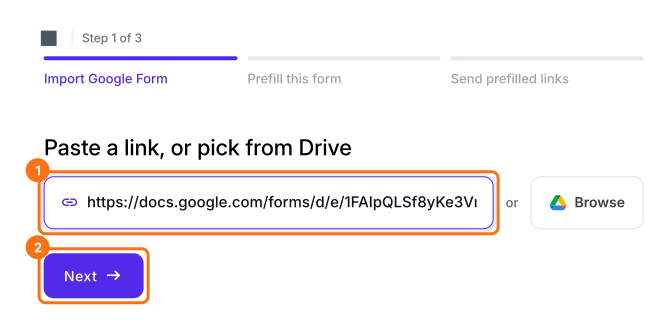
- On the page that opens, paste your Google Form's link or click Browse to pick it, then click Next.
- Under "Who are the prefilled links for?", pick Groups and click Proceed. Your form opens in a new browser tab, on its Prefill links page.
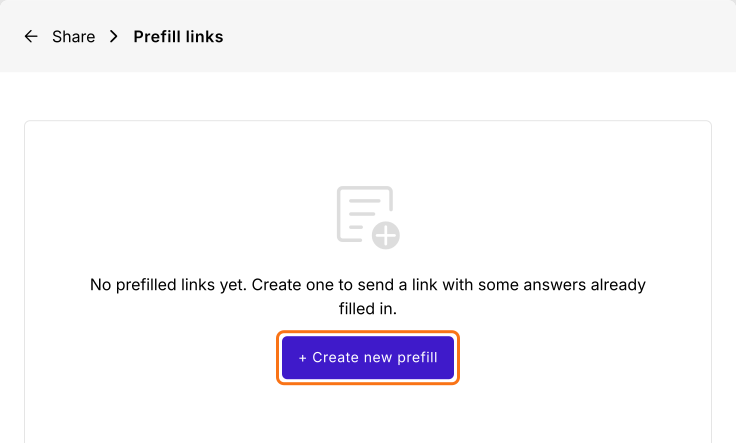
- Click + Create new prefill
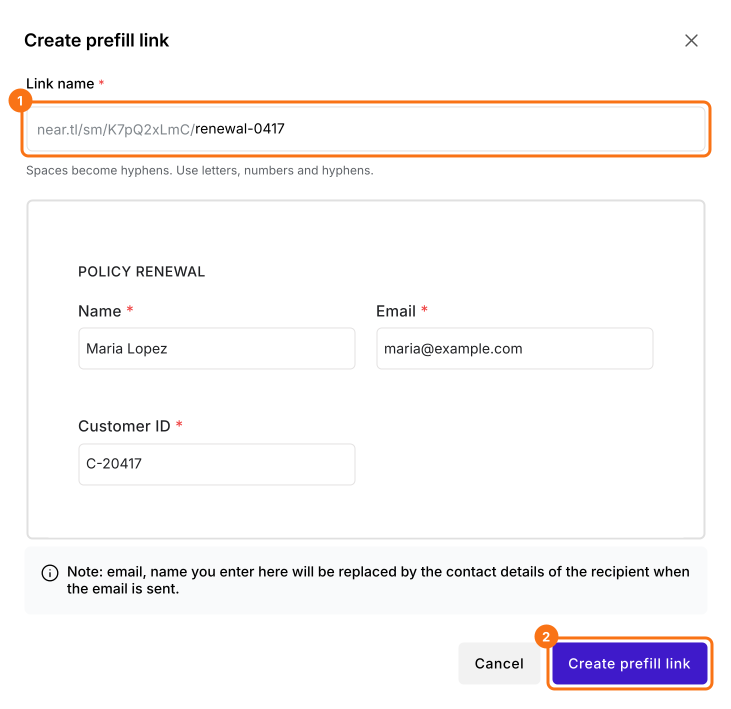
- Enter a unique name for the link
- Fill in the answers to prefill
- Click Create prefill link
How to edit the message for this customer?
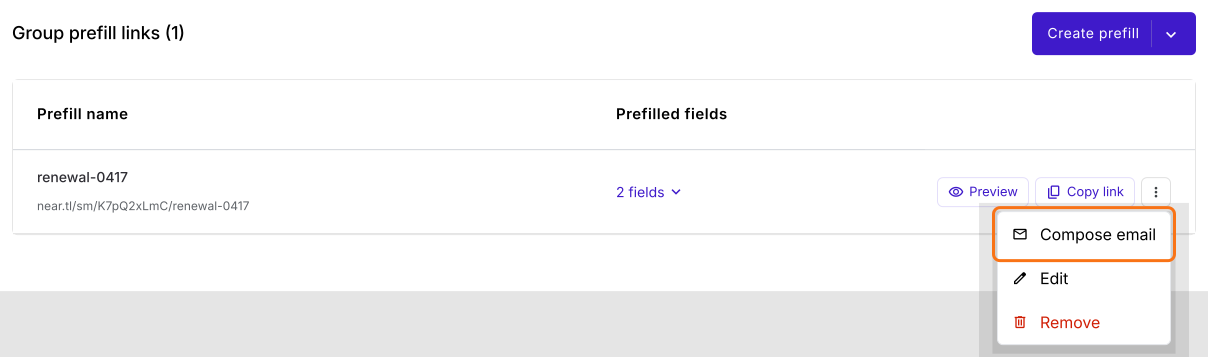
- Click the ⋮ More icon next to the prefill link
- Click Compose email
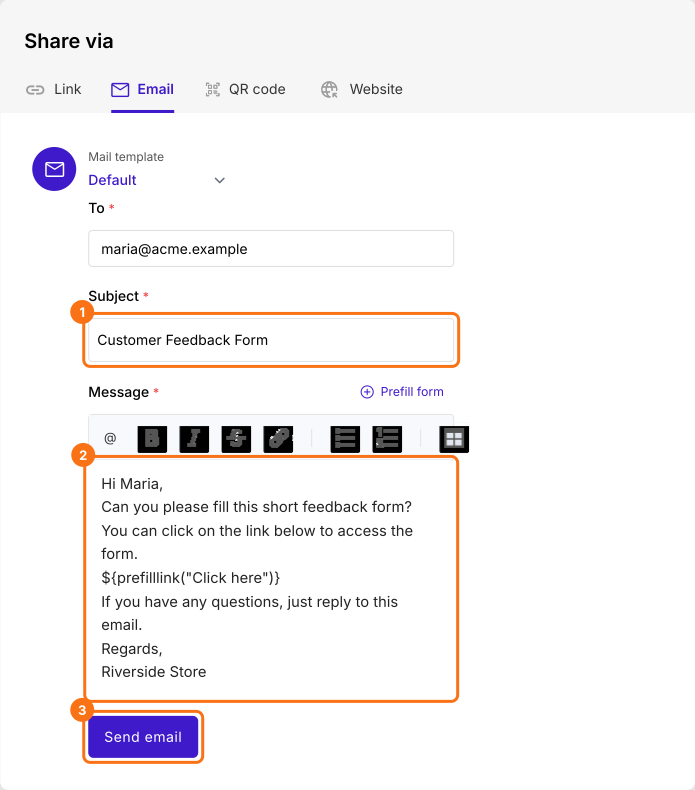
- Check your customer's email address in To
- The subject and message come from your template. Edit them for this customer
- Click Send email
Your customer gets your message with their own link. When they open it, the form has their answers filled in. The name and email you typed in the link are replaced by your customer's contact details.
You can use this along with HIPAA form to avoid showing PII information in plain text in email or prefill links
Summary
Google Forms can't email a prefilled link, so a personal message for each customer means writing every email yourself. With Formfacade, the subject and message come from your template and you edit them for this customer before you send the link. Import your Google Form and complete the steps above. If you have any questions, write to support.
Send a customer your Google Form with their answers filled in.
Import your Google Form, create a prefill link and click Compose email next to it. Edit your template for this customer and send it with their link.