How to change your order form menu every week?
"We have a school lunch program that varies each week."- Google Docs Editors Community
This is a common situation, and 22 people on Google's forum have asked about it. If you run a school lunch program, the food changes a little every week, and teachers need a form to order from. Copying last week's Google Form gives you a new link and a new response sheet each time. Editing the old one means retyping the choices, and last week's answers stay mixed in with this week's.
In this article, we will show you how to keep one form and one link, and swap the dishes each week so that teachers see this week's menu.
1. Name your order form
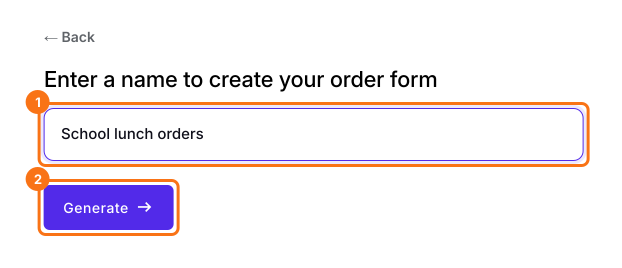
Click Create a new form, type your form's name and click Generate. Check the outline it suggests and click Proceed. Already have a Google Form? Click Import Google Form instead.
2. Hide last week's dishes
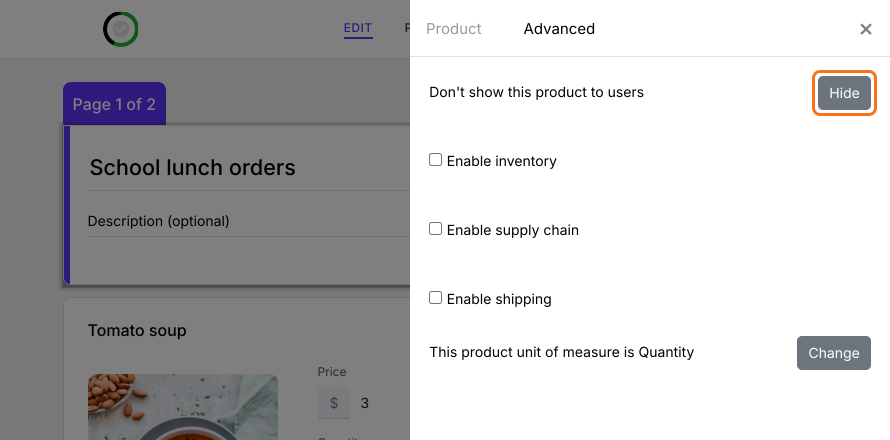
In the EDIT tab, click a dish you aren't serving, click the gear at the bottom of its card, open Advanced and click Hide. Another week, click Show in the same place to bring it back.
3. Add this week's dishes
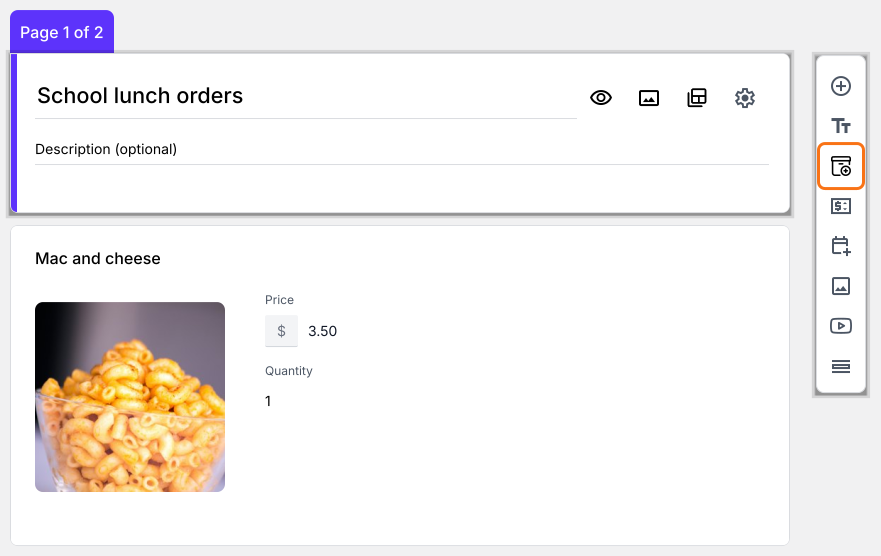
Click Add product in the toolbar on the right, then type the dish's name and price.
4. Teachers open the same link
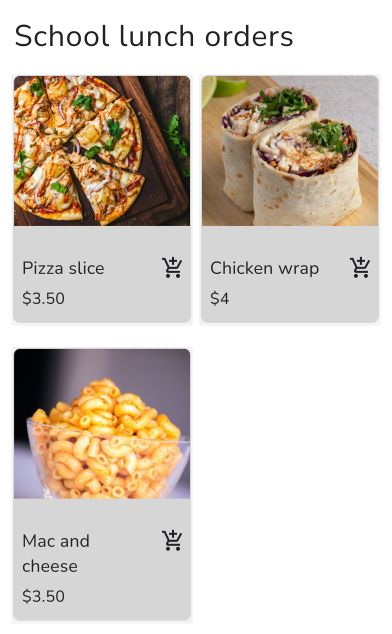
You don't need a new link. Teachers open the one they already have and see only this week's dishes.
5. Keep each week's orders apart
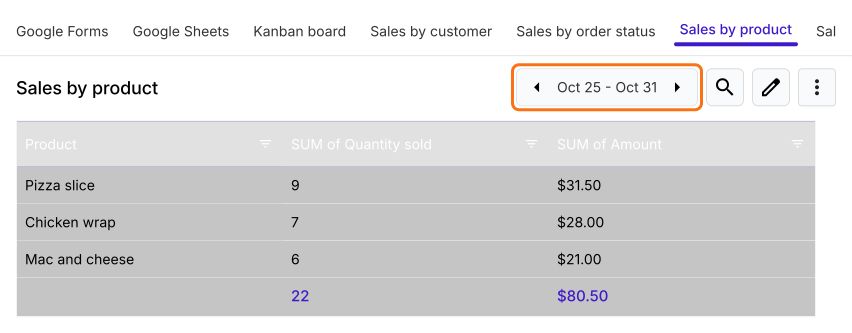
In ORDERS, click Sales by product. The arrows beside the dates move from week to week, so last week's orders stay out of this week's count.
Summary
If your menu changes every week, copying the form means a new link each time, and editing it mixes last week's answers with this week's. With Neartail, you keep one form and one link. Hide last week's dishes, add this week's, and the report keeps each week's orders apart.
Last updated: