How to get paid on your WhatsApp order form?
"use UPI for e-commerce website to save payment gateway charges"- Quora
This is a common question from people who sell online. If you take orders on WhatsApp, a payment gateway takes a charge on every sale, and your customers would rather pay by UPI anyway. But a plain Google Form can't add up an order or send it to your chat, so you work out each amount by hand before you can ask for the money.
In this article, we will show you how to get each order in your WhatsApp chat, then reply with your UPI ID so that there's no gateway charge.
1. Create your order form
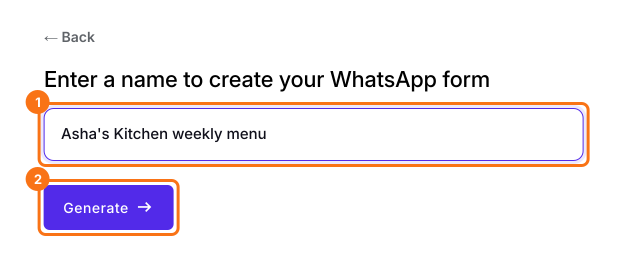
Click Create a new form, type its name, click Generate, then Proceed. If you have a Google Form, click Import Google Form instead.
2. Send orders to your WhatsApp
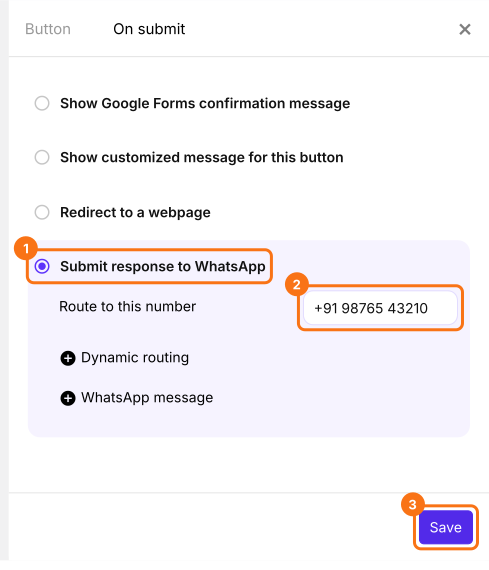
At the end of the EDIT tab, click the gear beside After page 1 and open On submit. Choose Submit response to WhatsApp, type your number under Route to this number and click Save.
3. The order comes to your chat
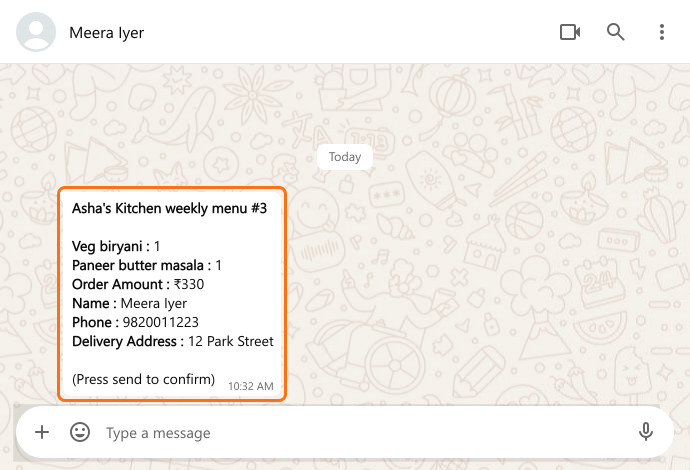
When a customer submits your form, WhatsApp opens with their order written out. They press send, and it reaches your chat with the total.
4. Reply with your UPI ID
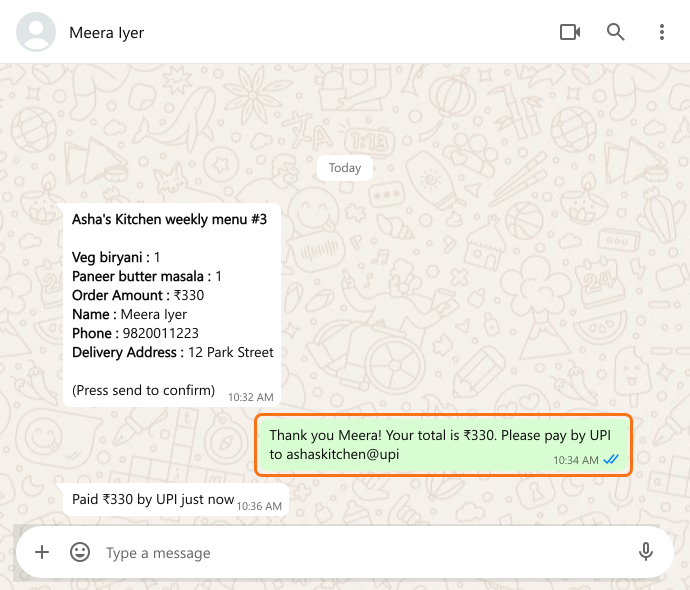
Reply with your UPI ID and the amount. The customer pays from their UPI app and tells you in the same chat.
5. Keep track of who paid
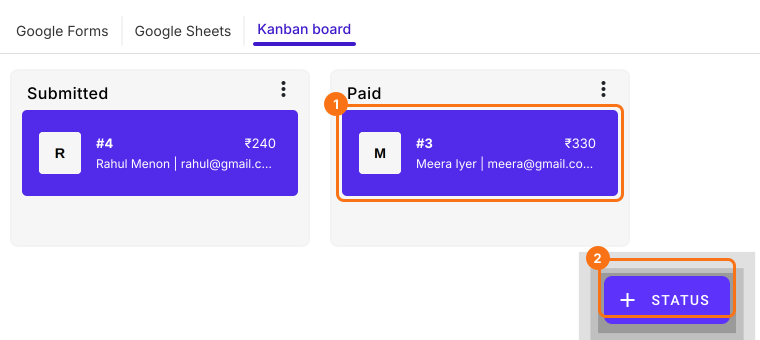
On the Kanban board in your ORDERS tab, click + STATUS and add Paid. Check the money in your UPI app, then drag the order to Paid.
Summary
If a payment gateway takes a charge on every sale and your customers would rather pay by UPI, a plain Google Form can't add up the order or send it to your chat. With Neartail, each order arrives in your WhatsApp with its total, so you reply with your UPI ID and mark it paid.
Last updated: